Confirm a person or business is who they claim to be: government IDs, biometrics, business registries and employment checks against authoritative Australian sources.
Meet AUSTRAC obligations and understand customer risk: screening, risk assessment, fraud controls and investigation tools with evidence recorded for each check.
Keep customer records accurate and put them to work: correct and enrich existing data, unify it into a single view, or build compliant marketing lists from opted-in records.
The WatchEye API gives programmatic access to everything in WatchEye: PEP and sanctions screening, identity checks, IDPass verifications, monitoring programs, events and reports.
Biometric identity verification for remote onboarding
Biometric identity verification combines document-to-selfie face matching and liveness checks in a configured ID Pass journey. Customers complete capture on their own device, and your team reviews the results alongside other identity checks.
Liveness detection from a short selfie video
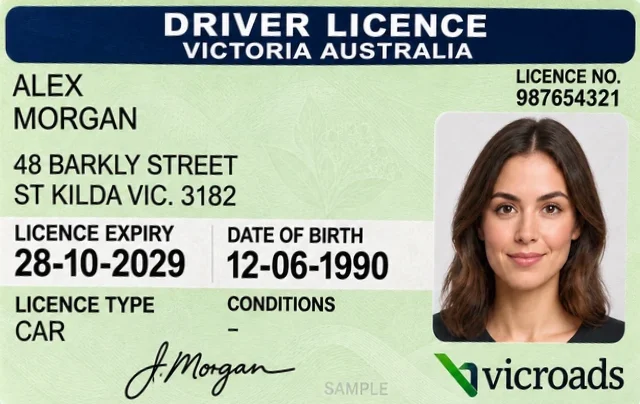
Biometric face verification against the licence or passport photo
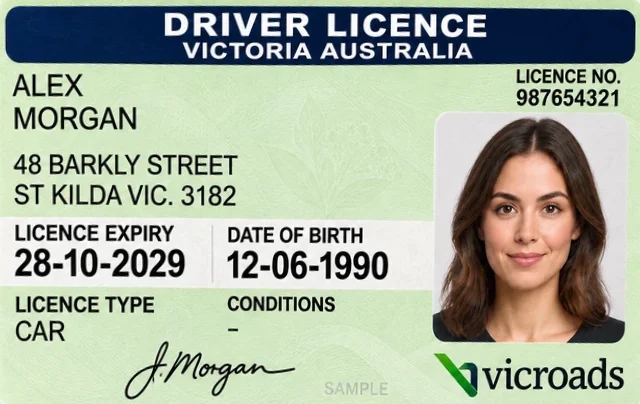
Document details read by OCR, reviewed by the customer and verified with the DVS
HomeQuick ScreenQuick ID CheckQuick ReportProgramsEntitiesScreeningID Checks
Quick ID Checks › Create ID PassHelp
Customer details
First nameAlexLast nameMorganDate of birth (optional)12/06/1990Mobile0412 345 678
ID Pass options
Documents required2⌄
Allowed document typesLicenceAustralian Passport
Face liveness checkSelfie video and face matching
ID photoPhoto for a member card
Valid for7 days⌄
Send bySMSEmail
CancelCreate ID PassSending link
QI-51-64E-DC5 · Waiting for ID PassLink sent by SMS to 0412 ••• 678. The result appears here when Alex completes it.
Sam Taylor ▾
HomeQuick ScreenQuick ID CheckQuick ReportProgramsEntitiesScreeningID Checks
Quick ID Checks › QI-51-64E-DC5
Move to ProgramDownload Certificate
Identification Verified• ID Pass CompletedCompleted by the customer on Wed 14 Oct 2026, 10:47am. Name matched to the verified licence.
Face verification
LivenessPass
Liveness score96% (cut-off 70%)
Biometric resultPass
Attempts1
Document 1 - Drivers Licence
DVS result codeY
Face matchPass
OCR editsNone
NameAlex Morgan
Date of birth12 Jun 1990
StateVIC
Verification notes
Supplied name and date of birth match Document 1 (Drivers Licence).Liveness passed on attempt 1. Document face matched the liveness image.Document 1 verified with the DVS (result Y). No biographic edits before verification.
Consent
Consent screenShown in ID Pass with Sample Finance's name and privacy policy link, including face verification.
AcceptedAlex MorganWed 14 Oct 2026 10:44am
ID Pass completed. Loading the result…
ID VerificationSample Finance
Welcome to Global Data ID Pass
Sample Finance has asked you to verify your identity. It takes a few minutes on your phone.
You will complete these steps:
Face verificationA short selfie video to confirm it is you.
ID document checkPhotograph your licence or passport.
Get started
Face verification
Keep your face inside the oval and follow the prompts.
00:00
Look straight at the cameraSlowly turn your head leftLook straight aheadSlowly turn your head rightHold stillNow give a small smileAnalysing your video…Face verification complete
Remove hats and sunglasses. Find good light.
Licence front
FrontBack
Fit the front of your licence inside the frame. Keep the photo clear of glare.
Captured
Hold steady…Front captured. Now the back.
Take photo
Identity verification complete
Thank you. Your details have been sent securely to Sample Finance.
You can now close this window.
Illustrative WatchEye and ID Pass screens with mock data and a synthetic face. Checks depend on how the ID Pass is configured.
From secure link to verified result in three steps
You create the ID Pass and choose what it asks for. The customer completes it on their phone or computer, and the outcome comes back to your WatchEye dashboard.
Step 1
/New ID Pass
Documents to requestDriver's LicenceAustralian PassportMedicareCentrelink+2Documents required
123Face liveness check
Send bySMSEmailSend link
Create a secure link
From your WatchEye dashboard, create an ID Pass link and send it to your customer by email or SMS.
You choose
Which ID documents to request, from six Australian document types
How many documents are required: 1, 2 or 3
Whether to include a face liveness check
With more than one DVS identity (OAC), you also choose which one to verify under.
OutputA secure ID Pass link sent by email or SMS
Step 2
Customer completes verification
Your customer follows the link to complete the process on their phone or computer. ID Pass guides them through each step.
The customer completes
Consent
Selfie liveness, if enabled
1, 2 or 3 document checks
A review of the OCR-read details, correcting any misreads before submission
OutputA completed ID Pass, submitted by the customer
Step 3
/Quick ID Checks
Alex MorganCompletedQI-51-64E-DC5 · ID Pass
Jordan LeeFailedQI-47-A19-2B8 · ID Pass
Download summary
Results
When the process is finished, you'll see the outcome in your WatchEye dashboard.
Outcomes
CompletedThe identity was successfully verified
FailedThe identity was not verified
OutputFull verification details in the ID Pass record, with a summary to download
Capabilities
Separate capture from verification
Liveness, face verification and document checks each answer a different question, so ID Pass reports them separately. No single result is a complete identity decision. Review them together within your verification process.
Selfie video
Biometric
Liveness detection
The question it answersIs the person physically present?
The customer records a short selfie video. An AI-driven liveness detector checks that it is a real-time video of a human face, not a photo, a screen, a recording or a mask.
The question it answersIs it the person on the document?
A face image captured during the selfie video is compared with the photo on the licence or passport. This stops someone presenting another person's document.
The question it answersDo the document details match?
OCR reads the details from the document photos. The customer reviews them and corrects any misreads, then the details are verified with the issuer through the DVS.
OutputA DVS result for each document, plus a name match
This sample ID Pass asks for one photo document and includes a liveness check. A staff member creates it in WatchEye, the customer completes it on their phone, and the result lands back in the Quick ID Check list.
Sam Taylor ▾
HomeQuick ScreenQuick ID CheckQuick ReportProgramsEntitiesScreeningID Checks
Quick ID Checks › Create ID PassHelp
Customer details
First nameAlexLast nameMorganDate of birth (optional)12/06/1990Mobile0412 345 678
ID Pass options
Documents required2⌄
Allowed document typesLicenceAustralian Passport
Face liveness checkSelfie video and face matching
ID photoPhoto for a member card
Valid for7 days⌄
Send bySMSEmail
CancelCreate ID PassSending link
QI-51-64E-DC5 · Waiting for ID PassLink sent by SMS to 0412 ••• 678. The result appears here when Alex completes it.
ID VerificationSample Finance
Face verification
Keep your face inside the oval and follow the prompts.
00:00
Look straight at the cameraSlowly turn your head leftLook straight aheadSlowly turn your head rightHold stillNow give a small smileAnalysing your video…Face verification complete
Remove hats and sunglasses. Find good light.
Liveness scoreSelfie video
96%Passed
0%70% cut-off100%
Typical scores: mobile 90 to 99%, desktop 70 to 90%. A false face video typically scores below 20%.
Real-time video of a human faceFace image kept for face matching
ID VerificationSample Finance
Licence front
FrontBack
Fit the front of your licence inside the frame. Keep the photo clear of glare.
Captured
Hold steady…Front captured. Now the back.
Take photo
Details read by OCRCustomer reviewed
First nameAlexLast nameMorganDate of birth12/06/1990Licence stateVICLicence number987654321Card number (back)P8842190
DVS result YDetails match the NEVDIS licence record
Biometric face verification
Licence photoFrom selfie video
Biometric result: Pass
Sam Taylor ▾
HomeQuick ScreenQuick ID CheckQuick ReportProgramsEntitiesScreeningID Checks
Quick ID Checks › QI-51-64E-DC5
Move to ProgramDownload Certificate
Identification Verified• ID Pass CompletedCompleted by the customer on Wed 14 Oct 2026, 10:47am. Name matched to the verified licence.
Face verification
LivenessPass
Liveness score96% (cut-off 70%)
Biometric resultPass
Attempts1
Document 1 - Drivers Licence
DVS result codeY
Face matchPass
OCR editsNone
NameAlex Morgan
Date of birth12 Jun 1990
StateVIC
Verification notes
Supplied name and date of birth match Document 1 (Drivers Licence).Liveness passed on attempt 1. Document face matched the liveness image.Document 1 verified with the DVS (result Y). No biographic edits before verification.
Consent
Consent screenShown in ID Pass with Sample Finance's name and privacy policy link, including face verification.
AcceptedAlex MorganWed 14 Oct 2026 10:44am
ID Pass completed. Loading the result…
Create an ID Pass in WatchEye. Enter the customer's name, choose the documents and turn on the liveness check, then send the link by SMS or email.
Illustrative WatchEye and ID Pass screens with mock data. Alex Morgan is a fictional person and the face is synthetic. Not product screenshots.
Customer journey
Guide customers through capture
ID Pass is a step-by-step flow optimised for mobile devices, and it also works on a desktop computer with a webcam. Clear prompts show customers what to capture and when they are done.
ID VerificationSample Finance
1
Welcome to Global Data ID Pass
Sample Finance has asked you to verify your identity. It takes a few minutes on your phone.
You will complete these steps:
Face verificationA short selfie video to confirm it is you.
2 ID documentsPhotograph your licence and passport.
ID photoA clear photo of your face for your ID card.
Get started
Your consent
Sample Finance is asking to verify your identity.
[Approved consent wording]
Sample Finance privacy policy
I agree
Continue
Licence front
Document 1 of 2
Take a photo or upload one. Fit the front of your licence inside the frame.
Captured
Check your detailsEdit
NameAlex MorganDate of birth12/06/1990Licence number987654321StateVIC
Verified with the DVS
Next document
ID photo
Requested
Take a clear, front-on photo of your face for your ID card.
Photo captured
Take photo
Identity verification complete
Thank you. Your details have been sent securely to Sample Finance.
You can now close this window.
If a step can't be completedAn error screen explains whether the customer can try again, or stops the ID Pass if the attempt limit is reached.
Illustrative ID Pass screens with a sample organisation and mock details. Choose a step to see its screen. Steps depend on your configuration.
OCR reads details from a supported identity document and pre-fills the relevant fields in the ID Pass form, reducing manual entry. The customer checks them, and the extracted details are then used in the next configured checks.
Captured IDFictional sample
Front captured in ID PassSpecimen · mock details
ID VerificationSample Finance
Customer detailsDetails extracted
Check the details read from your licence.
First name
Alex
Last name
Morgan
Date of birth
12/06/1990
Licence number
987654321
Continue
Illustrative OCR extraction with fictional document details. Extracting text is separate from verifying the details with the DVS or comparing the customer's face.
Biometric face verification
Confirm the customer is the person in the ID photo
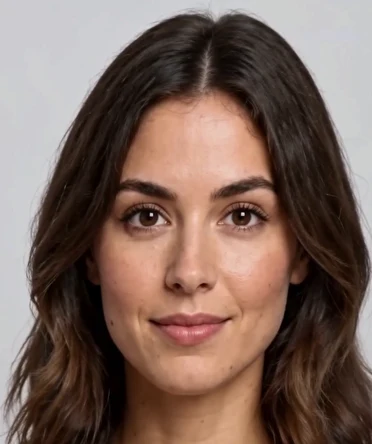
During the liveness check, ID Pass captures an image of the customer’s face, called the probe image. A biometric face verification algorithm compares it with the photo on the identity document, such as the licence or Australian passport photo, to make sure they are the same person.
This stops someone presenting another person’s identity document. A DVS match confirms the document details, face verification confirms the person matches the ID photo, and liveness confirms they are really there.
Probe imageRECCropped from the selfie video during the liveness check
Compared
ID photoOn the licence or Australian passport
Liveness score96% · Passed
70% cut-off96%
False face video typically below 20%Desktop 70–90%Mobile 90–99%
Biometric validation
Compares the photo of the person on the document to the face (probe image) obtained from the liveness check.
Outcome
Passed
Face match against probe image
Yes
Face match similarity
96%
Pass threshold
70.000%
Illustrative example using a sample driver licence. Face verification runs for each photo document the customer provides.
What liveness and face verification stop
photo_camera
A printed photo
Someone holds a photo of the customer up to the camera.
Caught by liveness detection
devices
A screen or a recording
A face is shown on another device, or a previously recorded video is played to the camera.
Caught by liveness detection
theater_comedy
A mask
Someone wears a mask made to look like the customer.
Caught by liveness detection
group
Someone else's document
A real, live person presents a genuine document that belongs to another person.
Caught by biometric face verification
How the liveness score reads
Each selfie video gets a liveness score. A score of 70% or above passes. Below that, the customer is asked to record the video again.
Attempts are limited to protect against repeated guessing. Liveness allows at least three attempts, adjusted to risk signals from the device and connection, and each document allows three DVS attempts. Past a limit, the ID Pass fails and you send a new one.
70% pass cut-off
False face video typically below 20%Desktop 70–90%Mobile 90–99%
Typical ranges from the ID Pass documentation. Mobile devices with a front-facing camera give the best results.
Documents
Choose the documents the ID Pass asks for
ID Pass accepts six Australian document types. Face verification needs a photo document, so include a licence or passport when liveness is on. A common setup asks for two documents, at least one with a photo.
Driver licence
OCR, front and back
Face verification
Verified with NEVDIS on first and last name, date of birth, licence number, card number and state. Digital licences work from two screenshots.
Australian passport
OCR, information page
Face verification
Verified with DFAT on given names, last name, date of birth and passport number.
Foreign passport (Australian visa)
Photo or upload
Verified with the passport linked to the visa holder's Australian visa.
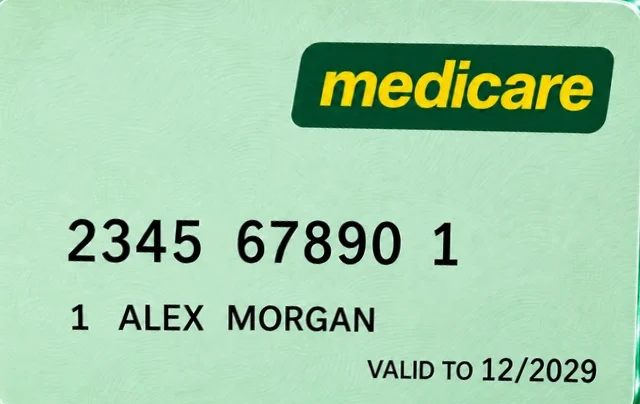
Medicare card
OCR
No photo
Verified with Services Australia. The customer types their date of birth, which is not printed on the card.
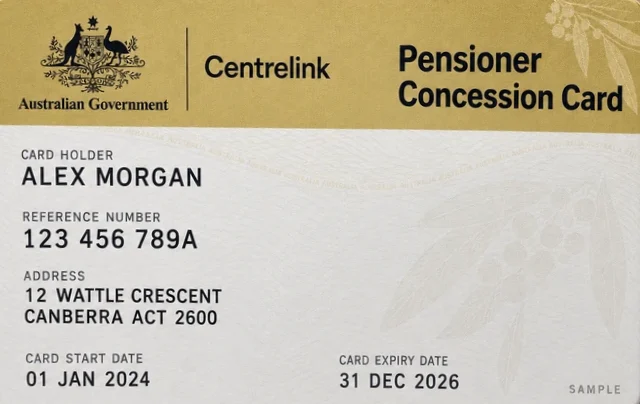
Centrelink card
Manual entry
No photo
Verified with Services Australia on name, date of birth, CRN, card type and expiry.
Australian birth certificate
Manual entry
No photo
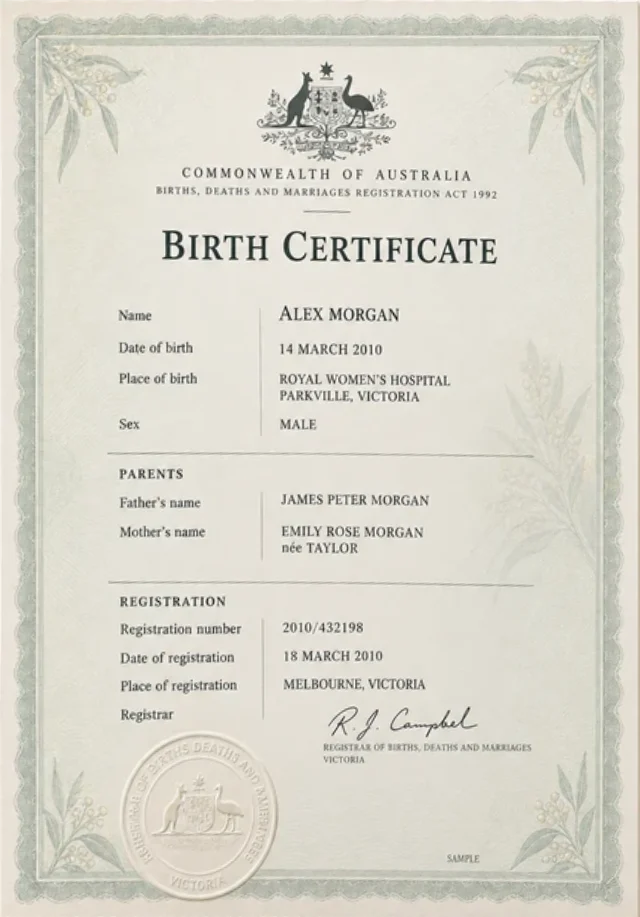
Verified with the state or territory Births, Deaths and Marriages registry.
OCR and edits. The customer sees what OCR read and can correct it before verification. Any edit is recorded in the verification notes for your review.
One use per document. A document verified as the first document cannot be used again as the second in the same ID Pass.
Staff-entered checks. For all 14 DVS document types entered by your team, see Document verification.
Ways to verify
Send ID Pass from WatchEye or from your own system
The customer journey is the same either way. What changes is who creates the link and where you read the result.
Path A · From WatchEye
Create the ID Pass in Quick ID Check
Your team creates a one-time link and sends it by SMS or email. Results arrive in the Quick ID Check list as Completed or Failed, with the full detail and a downloadable verification certificate.
Documents
Which types to accept, and whether 1, 2 or 3 are required
Face liveness check
On or off. When on, face verification runs against each photo document
Customer details
Name, matched to the documents, and an optional date of birth
ID photo
Optional, with a stated purpose, for example a member card
Validity
A set number of days before the link expires
DVS identity
If you hold more than one, the brand name and privacy policy the customer sees
Your onboarding app creates the ID Pass and sends the customer the hosted link itself. Add a return URL and the final ID Pass screen offers a button back to your app.
Liveness and face verification need the customer's camera, so they run in ID Pass or in your own capture flow. Staff-run DVS checks compare document details only.
ID Pass
The hosted customer journey: consent, selfie video, document capture with OCR, and DVS verification.
It checks that the selfie video is a real-time video of a human face. A photo, a screen, a previously recorded video or a mask fails. It does not establish whose face it is; face verification against the document photo does that.
What liveness score passes?
70% or above. Mobile devices typically score 90 to 99% and desktops 70 to 90%. A false face video typically scores below 20%. Below the cut-off, the customer is asked to record the video again.
Which documents support face verification?
Photo documents such as a driver licence or Australian passport. Medicare, Centrelink and birth certificates carry no photo, so face verification is not performed for them. If glare or a hologram covers the document photo, the customer is asked to retake it without using a DVS attempt.
Why would a genuine customer fail?
Often the name or date of birth entered when creating the ID Pass differs from the document, such as “Jack” instead of “Jackson”. If the documents passed the DVS and the biometric checks passed, you can correct the details in WatchEye. The result changes to Passed (Manually Corrected), with your reason recorded.
Are biometrics included in every check?
No. The face liveness check is an option you choose when creating an ID Pass. Staff-run DVS checks compare document details only.
Can I use the selfie as an ID photo?
No. The face image from the liveness video is optimised for face matching. If you need a photo for a member or ID card, turn on the ID photo step. It checks the photo is clear and compares it with the liveness image.
What if the customer opens the link on a computer?
ID Pass suggests scanning a QR code to continue on a phone. It still works on a computer with a webcam, though liveness scores are typically lower. If camera access is blocked, the customer sees instructions for their device.
Request a demo
See an ID Pass from link to result
Complete a sample ID Pass on your own phone and see the result your team receives. Use the call to cover:
Documents, liveness and ID photo options
Reading results, retries and manual corrections
Sending from WatchEye or your own system
Prefer to talk? Call 03 9948 4089, 9am to 5pm AEST, Monday to Friday.
Get startedBook A Demo
"*" indicates required fields
assured_workloadApproved DVS Gateway Service Provider