










New Zealand Identity Verification
Verify a New Zealand Driver Licence against the NZTA licence database, and a New Zealand Passport against the DIA Passport database.
How a New Zealand Identity Verification check runs
New Zealand has its own sources and its own document rules. The check queries NZTA and the Department of Internal Affairs, and returns a result for each field.The details, including the version
Name, date of birth and address, plus the licence number and its six-digit version. The version changes each time a licence is reissued, and the licence check cannot run without it.
The sources queried
NZTA for driver licences, the DIA for passports, and New Zealand data sources for name and address.
The result
A result per field, in the same format as an Australian check, so New Zealand and Australian customers sit on one record.
Checks included
Each check matches the details you supply against the issuing authority's own record.NZ Driver Licence
NZ Passport
Fields you supply
Names and dates come from the document. Middle name is matched only when it is supplied.| Field | badgeNZ Driver Licence | flightNZ Passport |
|---|---|---|
| Personal details · matched on both checks | ||
| First name | checkRequired | checkRequired |
| Middle name | removeOptionalmatched if supplied | removeOptionalmatched if supplied |
| Last name | checkRequired | checkRequired |
| Date of birth | checkRequired | checkRequired |
| Document details · specific to each check | ||
| Licence number | checkRequiredDB123456 2 letters + 6 digits | not used |
| Licence version | checkRequired001 3 digits | not used |
| Passport number | not used | checkRequiredLA123456 2 letters + 6 digits |
| Expiry date | not used | checkRequiredas printed on the photo page |
The first name and last name must be supplied exactly as they appear on the document. A supplied middle name is matched against the record as well, so an approximation there can turn a pass into a fail.
Formats and validation
Get these four right and the check reaches the authority. Get them wrong and it fails, or never runs.Licence number
DB123456
2 letters + 6 digits Printed on the front of the licence. Lowercase letters are accepted and converted automatically.
Licence version
001
3 digits The 3-digit number printed next to the licence number. NZTA issues a new version each time a card is replaced or renewed, so a pass confirms the person holds the current physical card, not just a licence record.
Passport number
LA123456
2 letters + 6 digits Printed on the photo page. One letter followed by 7 digits is also accepted, covering older books. Lowercase letters are converted automatically.
Passport expiry date
Photo page
as printed The expiry date must be supplied exactly as it appears on the passport. It is matched against the passport number, which is how the check confirms the book in the customer's hand is the one on the DIA record.
Where to find the licence number and version
Field positions on the front of the card. Useful in your own help text at the point of capture.
10 SAMPLE STREET
SAMPLETOWN
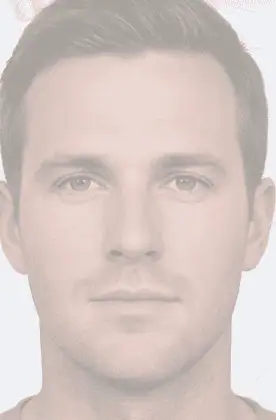
Licence number
Front of the card, below the date of birth. Two letters then six digits, for example DB123456.
Version
Immediately to the right of the licence number. Three digits, for example 001. It changes on every replacement or renewal.
Date of birth
Sits directly above the number and version pair, which is the quickest way to point a customer at the right area of the card.
Illustrative sample. Field positions and numbering follow the New Zealand card; security features and NZTA artwork are not reproduced.
Reading the result
| Outcome | What it means |
|---|---|
| Pass Y | The details you supplied match the record held by NZTA or DIA. |
| Fail N | The details do not match the record. Usually a transcription error, a name entered differently to the document, or a licence version that is no longer current. |
| Data error D | The request could not be processed. Check the submitted values — this is the response to malformed data rather than a judgement on the identity. |
What a pass confirms
- checkThe document exists in the issuing authority's records.
- checkThe name, date of birth and document number you supplied match that record.
- checkFor a licence, that the version supplied is the current one, so the card is the one in circulation.
What a pass does not confirm
- removeThat the person presenting the document is the person named on it.
A document check is a check on the document. To tie it to the person in front of you, run it through ID Pass, which adds a liveness check and matches the customer's face against the photo on the document.
Verification certificate
Each completed check produces a downloadable certificate: the date and time, the document type, the outcome, and a unique check reference number. That is the record an auditor asks for.
Before treating a fail as a real mismatch, check the entered details against the physical document. A shortened first name, a missing middle name, a maiden name, or one wrong digit in the licence number all return the same fail as a document that was never issued.
Where the checks run
Pick by how your team works; the checks and results are the same.NZ verification inside an AML/CTF program: verify at onboarding, screen against watchlists in the same pass, then keep monitoring the customer afterwards.
Enter the licence or passport details in a browser and read the result, with no integration project.
arrow_forward mobile_camera_front ID PassCustomer self-verificationThe customer photographs their licence or passport on their own device. OCR reads the number and version, then the check runs.
arrow_forward api Global Data APIInside your own systemsThe licence check has an endpoint with the same request shape as the Australian document checks.
arrow_forwardAPI endpoints
Request schemas and example calls are in the API reference. Sandbox available for integration testing.Why does the licence version matter?
add
It reports whether the issuing authority, NZTA for licences, DIA for passports, verified the details you supplied. It sits in the verification details alongside the overall pass or fail, so you can see both the outcome and where the confirmation came from.
What happens if the licence number is in the wrong format?
add
The number is validated locally first: two letters and six digits, then the NZTA check digit. Anything that fails either test is rejected before the check is performed, so a typo comes back as a format error rather than a fail against the database. Lowercase letters are converted automatically, so db123456 is fine.
Can we verify an older passport?
add
Yes. Alongside the current two-letter, six-digit format, a passport number of one letter followed by seven digits is accepted.
Does a middle name have to be supplied?
add
No. It is optional on both checks. If you do supply it, it is matched against the record, so send it only when you have it as printed on the document.
Do we get a record of the check?
add
Yes. Every completed check has a downloadable verification certificate showing the date and time, the document type, the outcome and a unique reference number. Consent is recorded with the check as well.
Other solutions
Document Verification Service
Authenticate Australian identity documents against the DVS and confirm the details match authoritative sources.
Read morearrow_forward account_balance_walletIdentity verification
Verify identity documents against the DVS and personal details against Australian data sources.
Read morearrow_forward familiar_face_and_zoneBiometrics & liveness
Facial matching, liveness detection and OCR document capture for remote verification.
Read morearrow_forwardRequest a demo of our solutions
Complete the form and our team will be in touch shortly to walk you through how it works.
SOME OF OUR TRUSTED CLIENTS





Request a Demo
"*" indicates required fields